Affiliate Disclosure: This blog is reader supported. I earn affiliate commission from qualified purchases made through links on this site. I only recommend product & services that I personally used or researched. Thank you for your support. Learn more
Are you looking for the GoHighLevel Free Trial in 2026?
If yes, then you’re in the right place.
In this article, I’m going to share an exclusive 30-day free trial link that will help you test the GoHighLevel platform absolutely free for the next 30 days.
So go ahead and try GoHighLevel free for the next 30 days to decide if it’s the right tool for your business.
Now let’s see how to activate this extended trial step-by-step.
How to Activate GoHighLevel 30-Day Free Trial in 2026?
Follow this simple step by step guide to get 30-day free trial of GoHighLevel:
STEP 1: Click on this special link. It will take you to a private sign-up page. Don’t go to their main site, or you’ll only get 14 days. This one gives you the full 30 days.
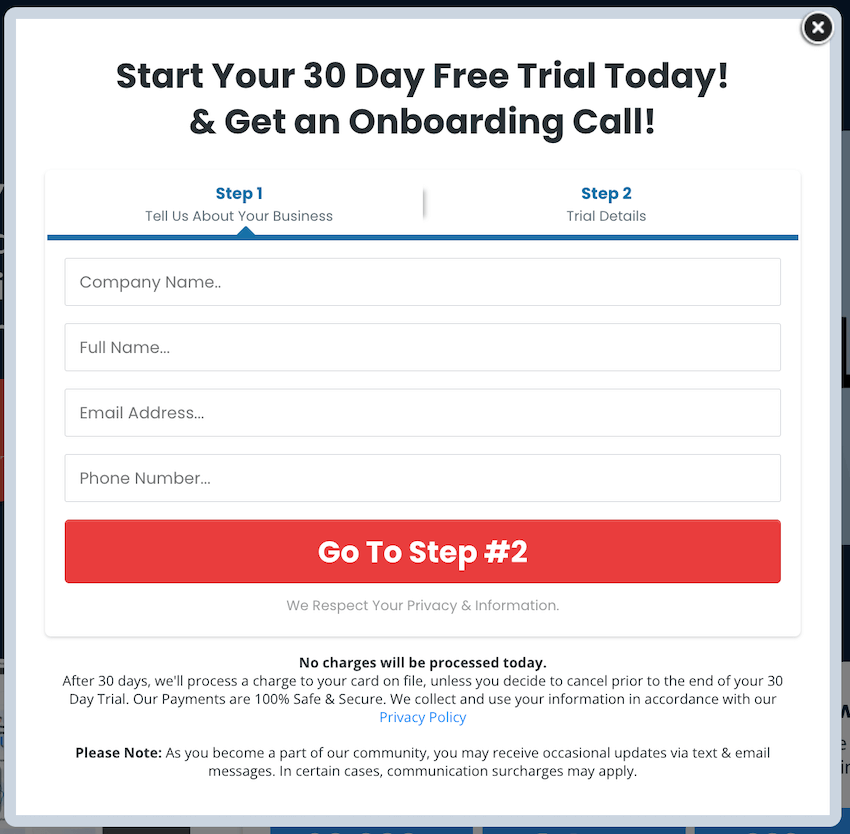
STEP 2: Fill in your details like name, company name, email, and phone number. This will start your free trial setup.
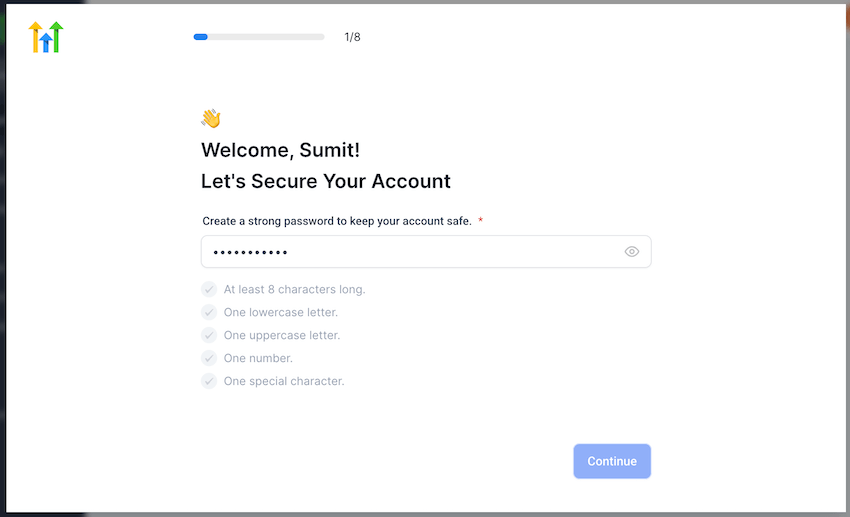
STEP 3: Now, create your account password. Make sure it includes capital and small letters, a number, and a symbol. Once it’s strong enough, you’ll see green checks.
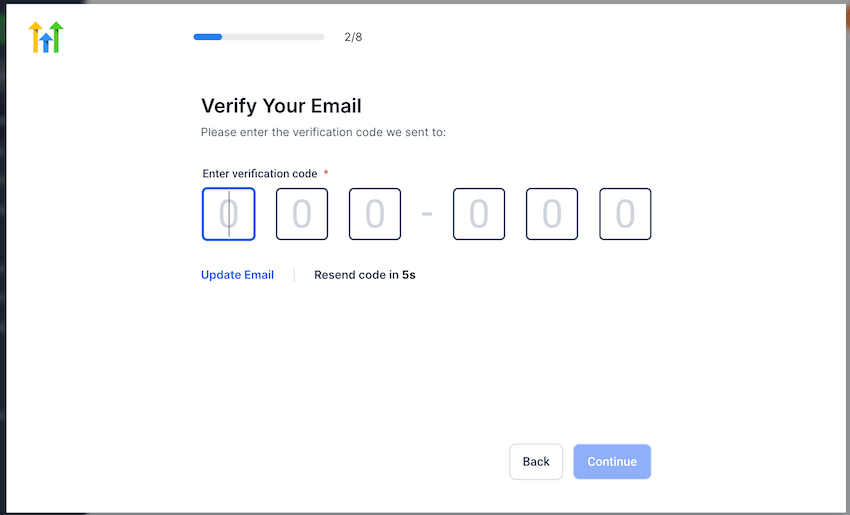
STEP 4: Open your email inbox. You’ll receive a 6-digit code. Enter that to confirm your email.
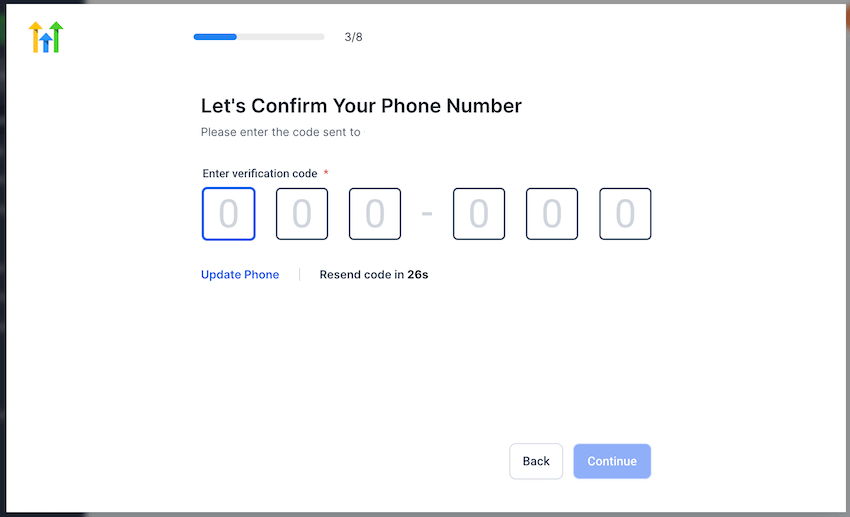
STEP 5: Then check your phone for another 6-digit code. Enter that to verify your number.
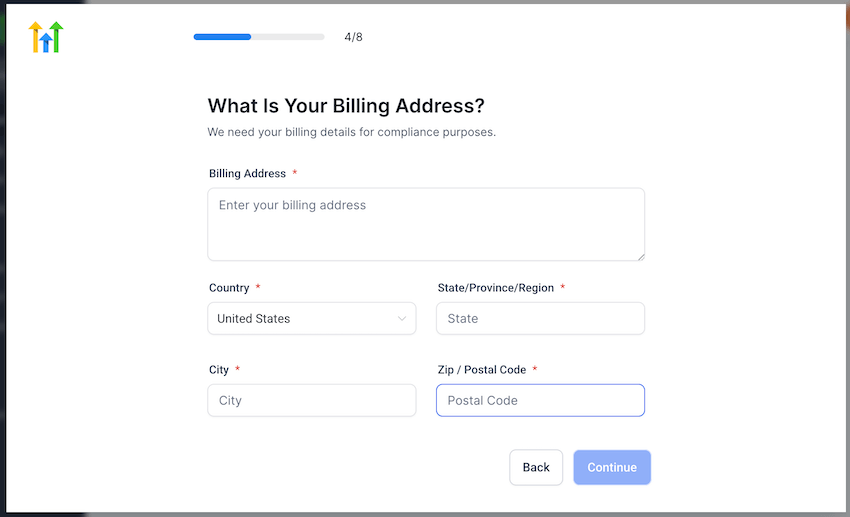
STEP 6: Now, enter your billing address and credit card details. Yes, a card is required, but they won’t charge anything for 30 days.
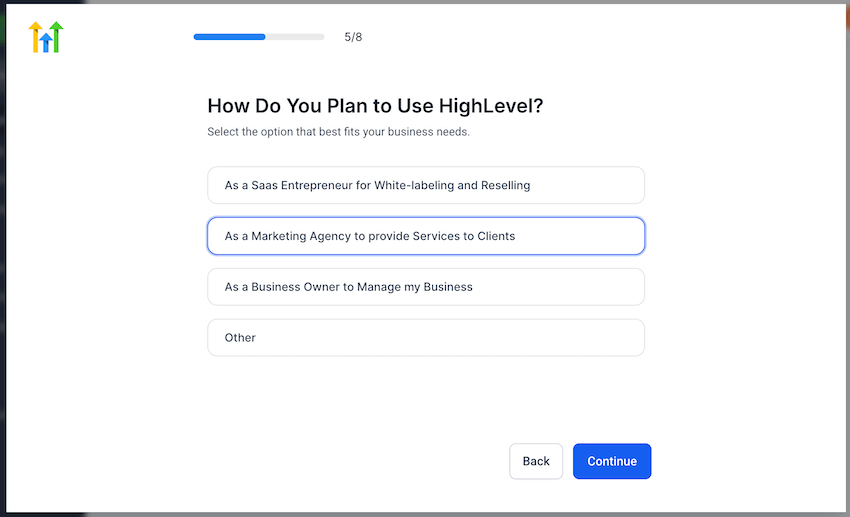
STEP 7: Choose how you’ll use GoHighLevel. You can select things like managing your own business, helping clients, or reselling the platform.
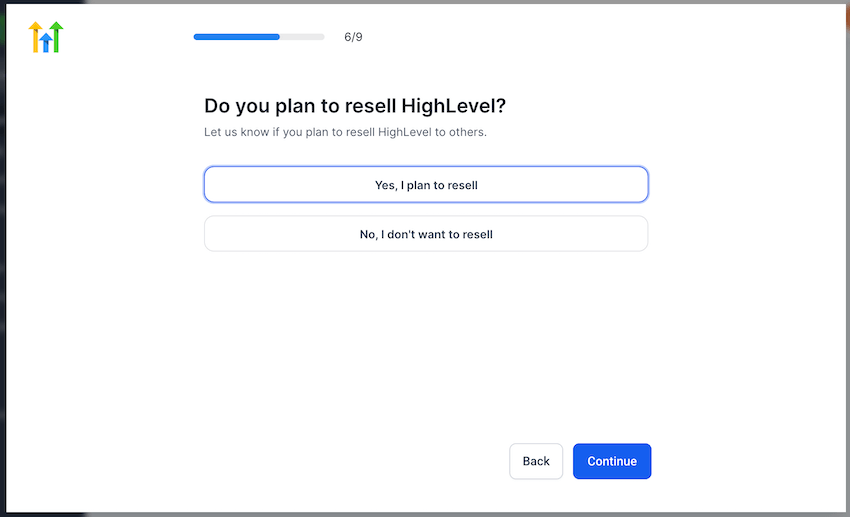
STEP 8: Next, they’ll ask if you plan to resell GoHighLevel. Just click yes or no based on your goal.
STEP 9: Pick your business type. There’s a list with options like coaching, fitness, real estate, and more. You can also search for your industry.
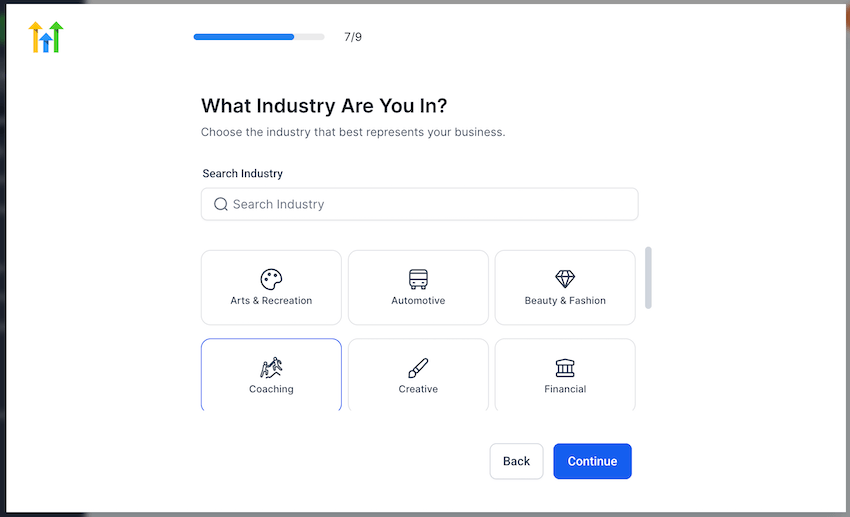
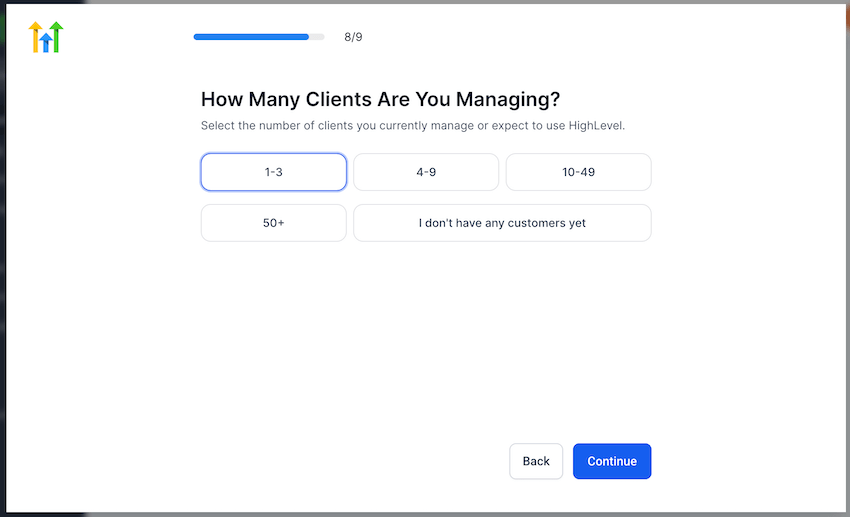
STEP 10: Tell them how many clients you have right now. Even if you’re just starting, they have an option for that.
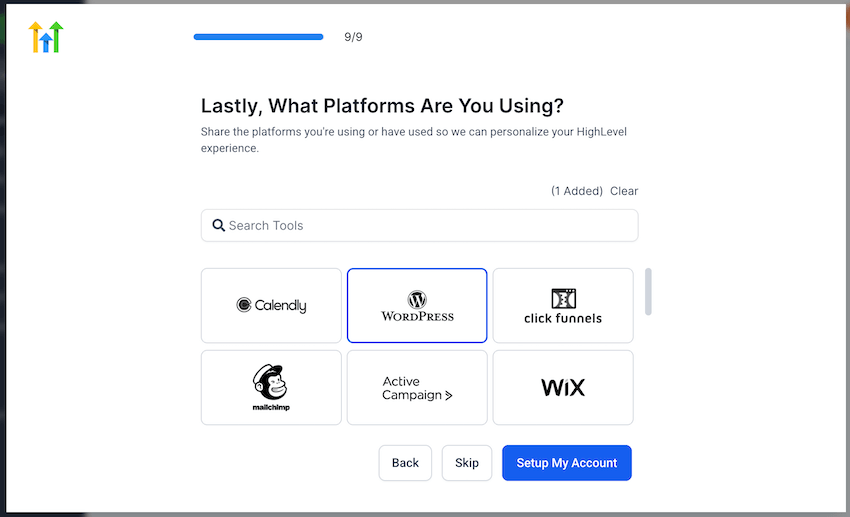
STEP 11: Now select the tools you already use. This could be WordPress, Calendly, ClickFunnels, or something else. Pick the ones that apply.
STEP 12: You’re almost done. You’ll see an option to book a free call with their team. You can schedule it or skip and go straight to your dashboard.
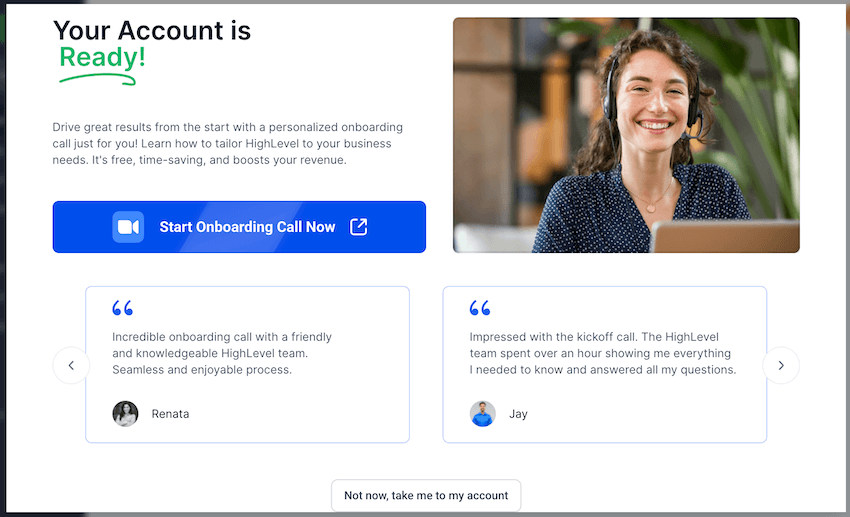
That’s it. Your free trial is now active.
You get full access for 30 days to test everything and see if it’s the right fit for your business.
5 Limitations of GoHighLevel Free Trial
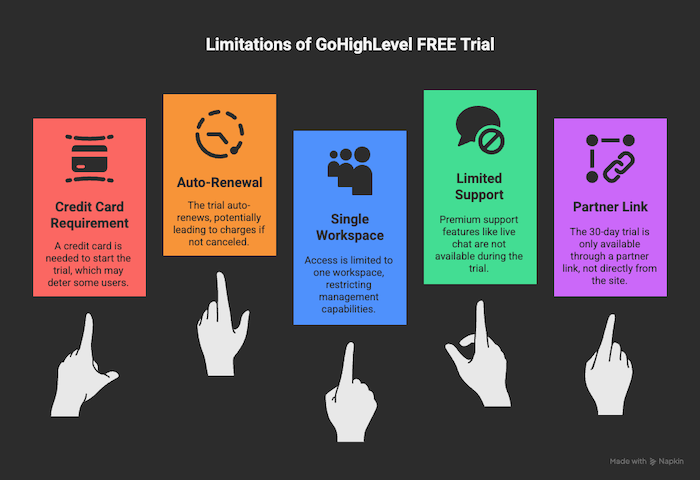
GoHighLevel’s 30-day free trial gives you access to almost everything.
But before you get started, here are a few things you should know.
1. Credit card is required
You’ll need to enter your credit card details during sign-up.
Without it, your trial won’t start.
Don’t worry though, you won’t be charged if you cancel before the 30 days are up.
2. It auto-renews after 30 days
If you forget to cancel, GoHighLevel will charge your card once the trial ends.
There’s no refund after that. So set a reminder or decide early if you’re going to continue.
3. Trial is for one workspace only
Your free trial gives you access to one agency workspace.
If you want to manage multiple workspaces or create sub-accounts, you’ll need to upgrade.
4. Live chat and premium support may be limited
During the trial, you’ll get access to help docs and email support, but live chat or one-on-one help may not be available unless you move to a paid plan.
5. 30-day trial only through partner link
If you visit GoHighLevel’s site directly, they’ll only offer a 14-day trial.
To unlock the full 30 days, you must use a verified partner link like the one shared here.
4 Solid Reasons to Grab the GoHighLevel Free Trial in 2026

Still not sure if GoHighLevel is the right fit for your business?
Then this 30-day free trial is the smartest way to find out. You don’t have to guess. You can try everything yourself, without paying upfront.
Here’s why it’s totally worth testing right now:
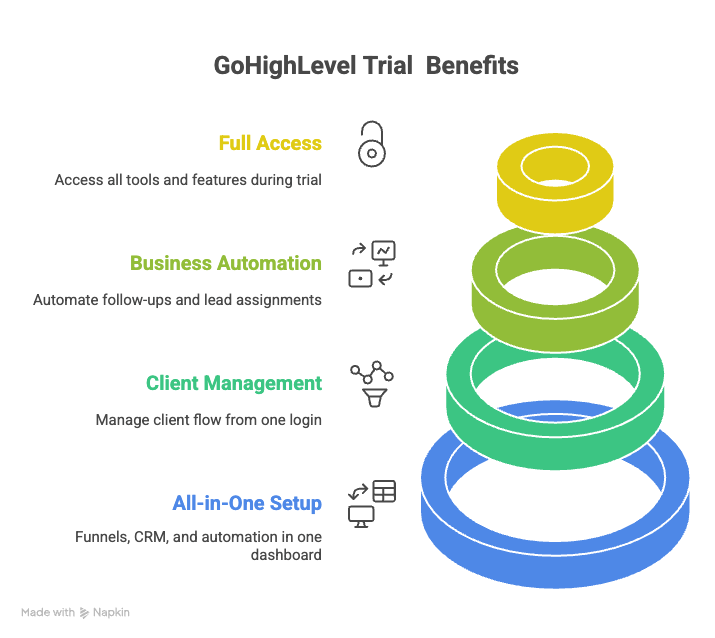
1. All-in-One Setup for Funnels, CRM, and Automation
GoHighLevel saves you from using multiple tools.
You can build funnels, capture leads, send emails and texts, set appointments, and follow up automatically.
It’s all inside one dashboard. No need to jump between tools.
2. Built for People Who Work with Clients
Whether you’re an agency, coach, or service provider, you can manage your entire client flow in one place.
Add leads, track sales, send updates, and even set up client accounts under your agency. All from one login.
3. Run Your Business on Autopilot
Once you set up workflows, GoHighLevel does the follow-up for you.
From sending emails and texts to assigning leads to team members, you won’t need to do it manually every time.
It keeps working while you focus on the bigger stuff.
4. Full Access During the Free Trial
GoHighLevel doesn’t limit anything during the trial.
You get access to every tool, every feature, and every part of the platform.
You can build real funnels, launch email campaigns, and even onboard a client.
GoHighLevel Pricing 2026: What’s the Price After the Free Trial?

Once your 30-day trial ends, GoHighLevel will charge you based on the plan you picked during sign-up.
Here’s what the pricing looks like right now:
| Plan Name | Monthly Price | Annual Price | Use Case |
| Starter Plan | $97/month | $972/year | For freelancers, solopreneurs, or small teams |
| Unlimited Plan | $297/month | $2976/year | For agencies with multiple clients |
| Pro Plan | $497/month | $4976/year | For large teams or growing SaaS resellers |
How to Cancel GoHighLevel Free Trial?
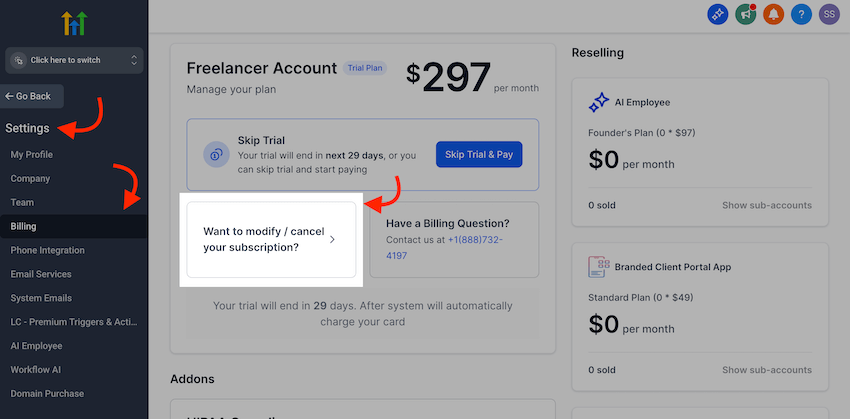
If GoHighLevel isn’t working for you or you just want to avoid charges after the trial, canceling is simple.
Here’s how to do it step-by-step:
- Log in to your GoHighLevel dashboard.
- From the left sidebar, click on Settings.
- Under Settings, select Billing.
- You’ll see your current plan details. Right below that, look for the box that says “Want to modify / cancel your subscription?”
- Click on that and follow the instructions to cancel your free trial.
That’s it. Once canceled, your card won’t be charged when the 30 days end.
Special Tip: Cancel at least 1–2 days before the trial ends to stay safe.
FAQ Related to GoHighLevel Free Trial 2026
Is this free trial really free?
Yes, it’s free for 30 days if you use the special partner link. You’ll need to enter your card details, but you won’t be charged during the trial.
Do I need to enter credit card details to start the trial?
Yes. Without your card, the trial won’t start. But if you cancel before 30 days, you won’t pay anything.
What happens after the 30-day free trial ends?
Your selected plan will start automatically, and your card will be charged. You can cancel anytime before the trial ends if you don’t want to continue.
Will I get full access to features during the trial?
Yes. You get access to everything like funnels, CRM, automations, email marketing, and client management tools. Nothing is locked during the trial.
Can I switch plans during the trial?
No. You stay on the plan you selected during sign-up. But once your trial ends, you can upgrade or downgrade as needed. Keep in mind that they don’t have any one-time payment plan.
Does GoHighLevel offer refunds after the trial?
No, they don’t offer refunds if you forget to cancel. That’s why it’s smart to set a reminder a few days before your trial ends.
Is There Any Method to Get Discount on GoHighLevel Plans?
Yes, you can save big during its Black Friday Sale. If you want to know more then read this article.
Final Words
GoHighLevel is not some shiny new tool.
It’s made for people who actually manage clients, follow-ups, and leads daily.
The 30-day free trial gives you full access to test everything properly.
I hope that these 30 days help you decide if it’s worth your money or not.
If it works for you, great. If not, cancel it before the trial ends.